
From the source material

1 / 3
Image from OpenAI.
2 / 3
Image from OpenAI.
3 / 3
Image from OpenAI.
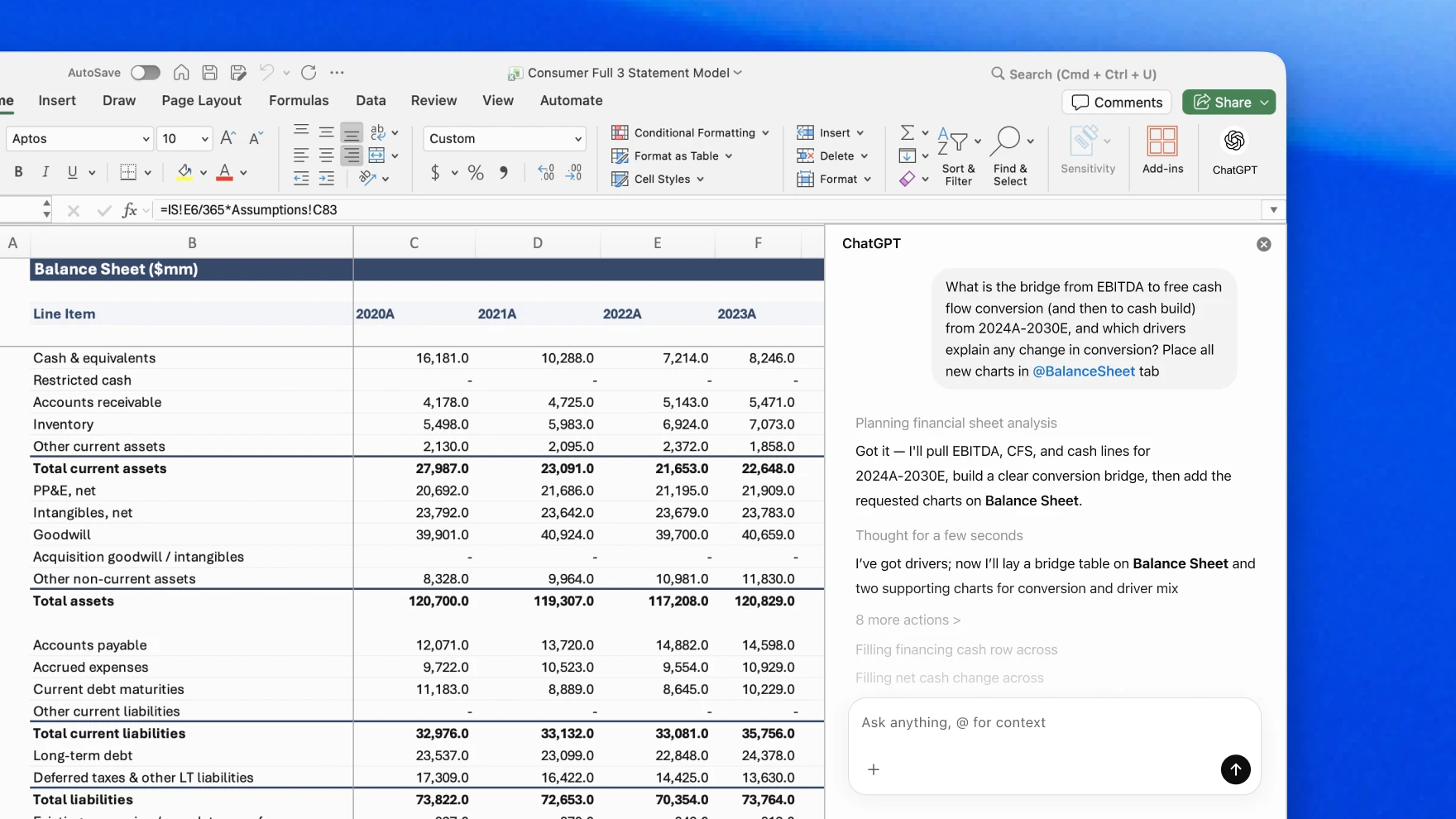
OpenAI is bravely walking into the haunted corporate graveyard where business reality is modeled, broken, and emailed as final_v3_revised. With the ChatGPT for Excel announcement, OpenAI is putting a GPT-5.4-powered beta add-in directly into the workbook. They claim it can build models, run scenarios, generate outputs from formulas, and work seamlessly inside existing structures, bolstered by new financial data integrations with providers like FactSet and S&P Global.
It sounds glamorous until you remember the actual pain of finance work isn't a lack of magic; it's the misery of inherited logic, stale assumptions, and finding the one rogue cell that turned a quarterly forecast into speculative fiction. The most critical feature here isn't the generation—it's the traceability. ChatGPT promises to explain its logic, link answers to exact referenced cells, and ask for permission before making changes. Spreadsheet AI without strict auditability is just a faster way to create a confident disaster with gridlines.
Finance professionals need answers they can explain and defend to a board, not just a black box that spits out a revenue projection. If this add-in can reliably handle contained tasks like tracing formulas, updating assumptions under review, and drafting variance explanations, it will be a massive win. But anyone letting an AI completely redesign their revenue model without a human holding the leash is treating risk tolerance as performance art.
In short
Putting ChatGPT inside Excel isn't about magical insights. It's about automating the miserable middle of finance work: tracing formulas, building scenarios, and untangling inherited models.
Keep the signal coming
Useful AI, fewer talking points.
Follow Useful Machines for practical AI news, workflows, tools, and strategy. Sponsors can also evaluate whether this article belongs in the agents and developer tools lane.